Nov 19 2010

Multitouch

Tag: Engine,General life,VectorStormtrevor @ 12:48 am

Today I set up Multitouch gestures for iPhone/iPad.

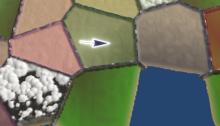
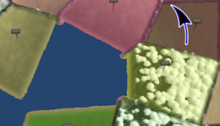
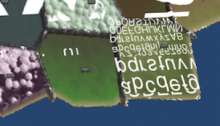
Again, this photo is using exactly the same graphics as the past few days, just now you can use multitouch gestures to zoom and rotate the interface.  (Most of my time went into the zooming.  Surprisingly difficult to get the maths right for that, in this case.)

It feels.. surprisingly natural.  I didn’t think it’d feel this good to move an object around on the screen this way.  There’s probably a bestselling game just in that interaction, if you could figure out a way to wrap a game around it (and if somebody else hasn’t already done it.  I’m sure someone has).  I’m not sure exactly what game you could wrap around this interaction, but it does feel really, really nice.

Right now, VectorStorm supports only two simultaneous touch events.  But now that I have two working, it’d be really easy to add up to about ten.  But in this case, I only need two for the pinch/zoom interface.  So I’ll probably make do with what’s in there now.

Tomorrow, I may take a stab at sound support.  Or more likely, I’ll spend time on the game code itself, again.


Sep 14 2010

Further dull development

Tag: Engine,Full Games,MMORPG Tycoon,VectorStormtrevor @ 10:58 pm

Oddly enough, these dry bits of engine development are often the most exciting to me, since they open up all sorts of exciting new possibilities, and make development substantially easier in the future.

I’ve been doing further development on the “automatic save/load” system that I’ve talked about before;  the system which automatically handles loading and saving of game data, without me having to write custom code for everything the way that I did back in previous games.  For comparison, in MMORPG Tycoon 1, nearly half of my total development time went into the save/load functionality — it’s extremely complicated, and extremely bug-prone, so anything that I can do to make the saving/loading process easier and safer is going to be a huge win, overall!

This “how do we load and save large amounts of data” issue, incidentally, is one that professional game development teams everywhere have struggled with forever, and I’ve seen a lot of different solutions to it.  But I’ve gotta say, this solution I’ve been working on is by far the best that I’ve ever seen within the C++ language;  it imposes few restrictions on the code I write, and can just automatically figure out how to save files out based upon inspecting the saveable variables I expose within each class.

What I’ve done today is to make this system recursive.  That is, you can now have an object which contains other objects, which contain other objects.  Or to give a more concrete example:

In MMORPG Tycoon 2, there’s an object for each of a character class’s abilities.  So if he has three different types of attack, that’s three code objects which store information about how much damage those types of attack do, etc.  Those three ability objects are stored inside another object, an “Ability Set”, which lists all the abilities available to one character class.

With this new stuff I’ve written today, it’s now possible for me to simply call “AbilitySet->Save(“Filename”)”, and have the AbilitySet save itself out, plus all of the Abilities which are inside of it, into a single neat data file.  Similarly, “AbilitySet->Load(“Filename”)” loads that data file from disk, recreating the AbilitySet object itself and all of the abilities that it should contain.  This is all typesafe — the AbilitySet can only contain objects of “Ability” type (or derived from that type), and no typecasting is required at any point during the process.

Of course, the next step is going to be to have the CharacterClassPrototype have an AbilitySet inside itself, so that when I load a class prototype from disk, it automatically loads the abilityset, and the abilityset’s contents.  And then a ClassManager will be set to contain ClassPrototypes, so that when I save the ClassManager, it automatically saves out all of the class prototypes inside it, and so forth and so on.  Eventually, everything in the game should be included within this data hierarchy, so a single call to “Save()” or “Load()” at the top level will be able to automatically handle saving or loading the complete game state, all from a single line of code.

So I’m pleased.  :)


Sep 05 2010

Major rendering restructure

Tag: Engine,Full Games,MMORPG Tycoon,VectorStormtrevor @ 8:38 pm

Today I spent the whole day doing just one thing:  a major restructuring of VectorStorm’s rendering architecture.  This is, without a doubt, the biggest change to how rendering works in VectorStorm since I first wrote it.

What you’re looking at in this screenshot is a not-yet-activated starting point, being rendered as a glowing outline, behind a tree.  Anyone who’s played with the MS1 build of Tycoon2 will know that one of the big rendering problems that it had was that glowing objects would often glow through opaque objects that were in front of them.  As you can see, this is no longer the case.  VectorStorm now automatically ensures that objects are drawn in the correct order, so you won’t incorrectly see obscured glowing effects.

To do this, I had to (warning:  the rest of this post contains dangerously boring technical details) change how VectorStorm renders.

Originally, VectorStorm was designed for rendering simple 2D vector graphic games.  As such, it was designed with a system of “layers”.  Your game could configure how many layers it wanted to use, and register sprites or other objects onto any layer you liked.  Within each layer, objects were drawn in order, with later objects (or later layers) drawn on top of previous layers.  With vector graphics, since you only had additive lines and no solid objects, the whole issue of which line was on top really didn’t matter;  the layers were really used just for putting objects under different cameras.  For example, in The Muncher’s Labyrinth, the game world was in one layer, and the HUD was in a different layer, just so the two could be rendered using different cameras and I didn’t need to worry about moving the HUD around to match the camera.  When I added solid rendering for ThunderStorm, the layers worked really well to ensure that some objects would always draw in front of other objects.

Each renderable object would have a “Draw()” function called on it, being given a pointer to a display list to which it could append its own rendering commands.  This was (in my own opinion) simple and elegant, and it was great for a while.

But now that VectorStorm is rendering in 3D, layers don’t really make sense any more.  We still have them, but in 3D we have a z buffer which automatically lets the closest object be drawn, regardless of whether it was drawn first or last, so it’s usually no longer important to manage which objects are drawn first or last, except for in special circumstances (glow effects, transparency, etc).

But the real problem is that we now often have objects which have different drawing styles within a single object.  For example, the cursor in MT2 (and MT1, for that matter) is made up of two parts;  a dark background, and a glowing outline.  Under the “just add your commands to this display list” approach, each object has to render all of its geometry at once.  This meant that I couldn’t (for example) draw the background portion of the cursor early, and the glowing part later on;  they’d both always render at the same time.

Another possible issue is that of rendering partially transparent objects.  These see-through objects are always a problem with modern 3D games, since z-buffers can’t be used to render them (z-buffers assume that everything is opaque, and so won’t allow you to draw anything behind a pane of glass, for example, if you draw the glass first).  The traditional way to handle these translucent objects is to sort them from back to front, then draw them in that order, after you’ve drawn all the non-translucent objects.  But with the simple-and-elegant way that I was handling drawing of objects, there was no way to sort the objects into any different order than they were already in.

Anyhow, enough of the problem statement.  :)

What I’ve changed is that renderable objects in VectorStorm are no longer given a pointer to the game’s vsDisplayList when it’s time for them to render.  Instead, they’re now given a vsRenderQueue object.  On that vsRenderQueue, they can provide their rendering instructions in one of several ways, and the vsRenderQueue can then reorder the drawing as required, to make sure that (for example) the glowing and transparent parts of objects are drawn last, while their opaque portions can still be drawn earlier.

The other change is that vsLayer is now completely gone.  Instead, we now have vsScenes, which work very much like vsLayers did;  they’re just collections of renderable objects.  Like before, your game can have any number of vsScenes, and they’re rendered in order.  Right now, they share a single z-buffer and render target between them all, but setting it up so that the different scenes can have separate renders is certainly possible in the future, if I ever need that feature.

You can probably tell by how I’m gushing, but I’m absolutely thrilled and relieved to have this all working at last.  Lots of stuff in MT2 (particularly the very old code) is currently working via a “compatibility” mode that I’ve put in the vsRenderQueue, and I do still need to convert those bits of code over to using the new systems instead.  But this change has illuminated a whole bunch of unreliable rendering code that was lurking in the GUI systems until now, and the stricter system should keep me from writing terrible code again in the future.

Right now, these changes are only in my MT2 development branch — they haven’t been propagated back into trunk, largely because I’d probably have to make a lot of big adjustments to the testbed apps to make them render under the new systems, and I’m feeling like taking a bit of a rest, after this ten-hour coding session.  But I’ll update trunk sometime in the foreseeable future, and will post about it when I do.


Aug 21 2010

A brief hiatus

Tag: General life,VectorStormtrevor @ 9:51 pm

First, sincere apologies for having been so quiet for so long.  Real life stuff came up, and I’ve been working to ensure that I can keep creating fun projects here in the future.  I expect that my posts are going to be pretty scarce for the next few weeks as I continue to sort out plans for the future.  But there’s no reason to panic;  I’m positive that things will work out fine in the long run.  And for the record, I have nothing but good things to say about my employers, even under current circumstances, and I’m crossing my fingers that I get to keep working for them for a good long time.

But enough of that gloomy topic — time for a unicorn chaser.  Look, it’s VectorStorm running on an iPad! (And also on the iPhone, not pictured here)  Long-time readers may recognise this as the “Testbed” program from the main VectorStorm library (with the orbiting lights moved closer in, to be easier to see).  There’s still a lot of work to be done on this port (which I’ll eventually do), mostly for supporting textures and audio.  But I was really pleased with just how easy it was to do the bulk of the port.  It was a lot simpler than the last time I did this, back when VectorStorm only drew lines, and rendered everything using OpenGL’s “immediate mode” rendering.

Also unlike last time, this time I did the port without obliterating the PC and Mac version of the code, so it should actually be possible to commit this back into trunk and have games just automatically be able to run on all three platforms.  Of course, there’s a lot of work that would need to be done to actually release a game on iPhone/iPad, both technical (it’d have to support changing screen orientation, the iPhone 4 retina display, iOS4 multitasking, multitouch input, etc), and legal/organisational (setting up a company to use for publishing, etc).

No, there’s no chance that MMORPG Tycoon 2 would run acceptably on any of these devices (although you’d better believe that I’m going to compile and run it once, just to giggle at the terrible frame rate), but I might eventually compile up some of my older games, or potentially future “Game in a Week” titles, and put them up on the App Store just to see what happens.


Jul 06 2010

Everywhere I look, Matrices!

Tag: Engine,VectorStormtrevor @ 11:28 pm

Warning:  technical brain-dump post.  I’ll try to have something more interesting to non-techies tomorrow.  :)

So there’s a major VectorStorm engine update that’ll be happening sometime in the near future;  it’s really needed for MMORPG Tycoon 2 (and any other 3D games I might feel like doing in the future).

Here’s the thing.  VectorStorm was written to be a 2D game engine, and so some of the things in it aren’t exactly what you’d want for a full 3D engine.  One example is its render management.  VectorStorm organises a game into a series of “layers”.  Each layer is drawn in front of the previous layer.  Now, in a game like MMORPG Tycoon 1 where your game was entirely 2D, and you wanted to make sure that your UI was being drawn in front of your game map, and tooltips were being drawn in front of the UI, and the cursor was being drawn in front of the tooltips, “layers” is a really sensible way to arrange things.  Within a layer, you couldn’t really predict how things would overlap.  So if it was important that object “A” draw in front of object “B”, you need to put object A in a higher layer than B.

However, in the world of 3D, we have depth buffers which handle this whole “what goes in front of what” thing for us more or less automatically.  Since MMORPG Tycoon 2 is a 3D game with a depth buffer, I mostly don’t need to draw things according to how they will overlap on screen;  the video card handles that for me.  Instead, I really want to draw according to whatever will allow the 3D card to render the game the most quickly.

Continue reading “Everywhere I look, Matrices!”


« Previous PageNext Page »